DriverPack Solution
DriverPack Solution quick and auto-updating of drivers
Safe & Secure
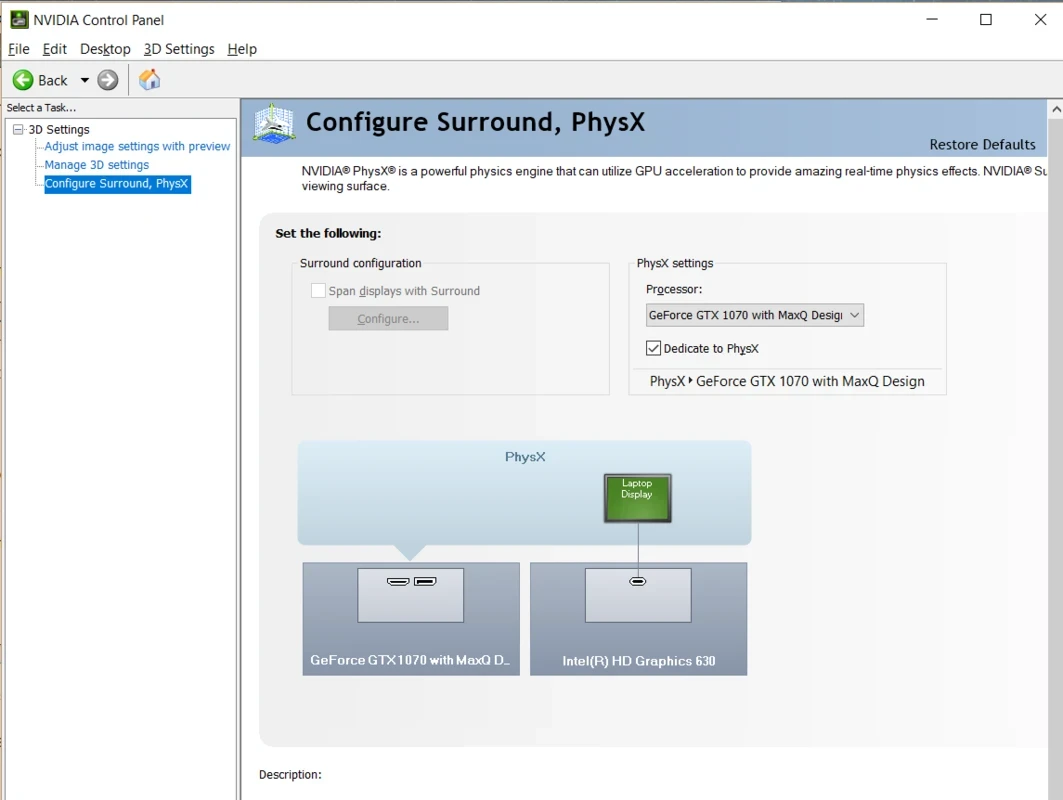
NVIDIA PhysX is a powerful software to offer more realistic interactions with various environments and characters. The app uses the latest technology for replicating real-world behavior in the virtual environment to enable users to monitor the interaction between objects, their response to external forces, and the behavior of materials, including fabrics, particles, and fluids, in real time.
It is developed by NVIDIA Corporation and falls under the System Utilities category as a dedicated hardware solution, allowing it to simulate the phenomena of different materials, such as gravity, friction, collisions, and so on.
The app offers more realistic action while leveraging the computational power of NVIDIA GPUs, enhancing the look and feel of the app. It supports both types of simulation: rigid-body and soft-body, while implementing powerful components. No compromise on framerates, instead focuses on robust performance for turning interactions into various elements into vibrant experiences using the hardware-accelerated physics. The integration with rendering and AI systems helps to create cohesive, physics-driven content.
You will find seamless compatibility for 32-bit and 64-bit runtime files and registry entries, ensuring the availability of runtime components for CPU physics. It is available as standalone download while working as correspond to the PhysX System Software, equipped with NVIDIA GeForce drivers. In addition, you can install the app the latest version on any Windows operating system, from Windows XP to Windows 11. Moreover, it is integrated with GeForce series, such as 8, 9, 200, 300, 400, 500, and even 600-series, with a minimum requirement of 256 MB of dedicated graphics memory.
The availability of multiple comprehensive development tools and other resources enables the developers to implement the tool into their projects seamlessly. The app belongs to System Utilities, so work in the background without having standalone user interface. But you can access settings and configurations using development environments, including Unity, Unreal Engine, or directly through NVIDIA’s developer resources.
Pros
Cons

DriverPack Solution quick and auto-updating of drivers
DirectX 12 launched by Microsoft very effectively controls the games.
DirectX 11 perform multiple tasks about games, and multimedia programs.
DirectX 10 is increasing the quality of audio and video of ATI and NVIDIA cards.
DirectX 9.0c run and display multimedia apps, audio, 2D, and 3D

3uTools offers jailbreaking and flashing features for your iOS devices.